🚧 UNDER CONSTRUCTION: This site and KeyLock Password Manager Pro are currently under active development. Coming Soon!
Next-Generation Production Engine

Sovereign Control.
Hardened Cross-Platform Security.

KeyLock Password Manager Pro brings defense-in-depth protection directly to your local environments and across your devices. Zero centralized clouds. Absolute cryptographic authority.

Explore Pro Architecture

Download KeyLock Password Manager PRO

Production Environments

Deploy the standalone KeyLock Password Manager PRO core client directly to your local Windows system.

Download for Windows
Production Architecture: v2.0.0

The Pro Cryptographic Stack

Engineered to ensure your records remain mathematically unassailable, regardless of where your database file is stored.

AES-256-GCM Encrypted

Utilizes advanced Authenticated Encryption with Associated Data (AEAD) in Galois/Counter Mode. This architecture provides high-entropy data concealment while guaranteeing that your database payload cannot be altered or tampered with by external actors.

Argon2id Key Derivation

Employs the industry-standard, memory-hard hashing mechanism specifically configured with auto-scaling layers. This function delivers exceptional defense thresholds against GPU, ASIC, and distributed cluster brute-force vectors.

HKDF Cryptographic Separation

Implements HMAC-based Extract-and-Expand Key Derivation Function paths. By splitting your master credential into dedicated, independent keys for data transformation and verification paths, cross-key leakage risks are eliminated.

AAD Metadata Binding

Binds structural metadata components (including indexing structures and version schemas) securely to the encrypted payload using Authenticated Additional Data boundaries. This completely mitigates structural blocks and block-swapping threats.

Zero-Knowledge Local-First

Encryption transformations happen exclusively on your device before writing to the SQLite database frame. No server keys, no company records, no backdoor mechanics. You are the sole custodian of your digital identity.

Sovereign Cloud Syncing

Full native and cross-device compatibility built directly into the file engine. Securely manage, read, and write encrypted local vaults across Windows desktop platforms, Apple iOS, and Android ecosystems utilizing your personal public storage nodes.

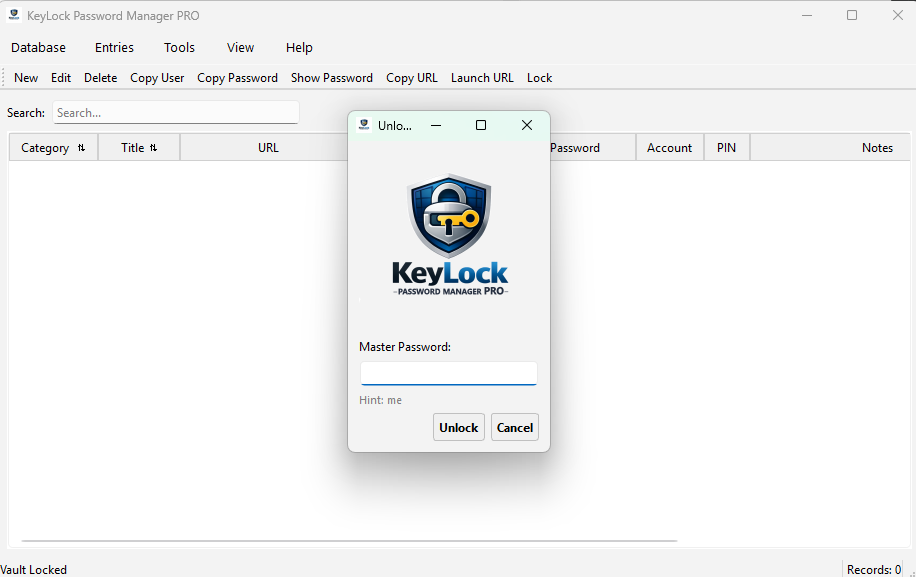
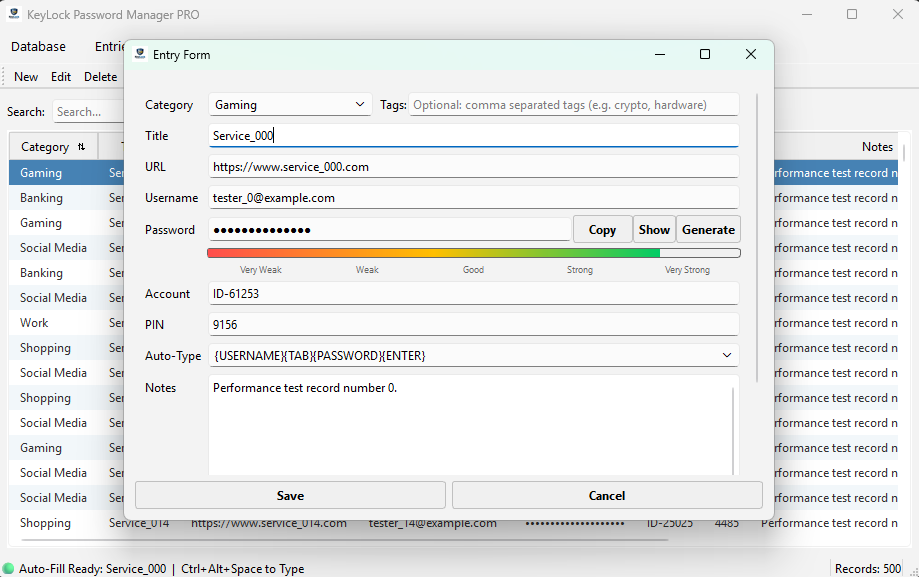
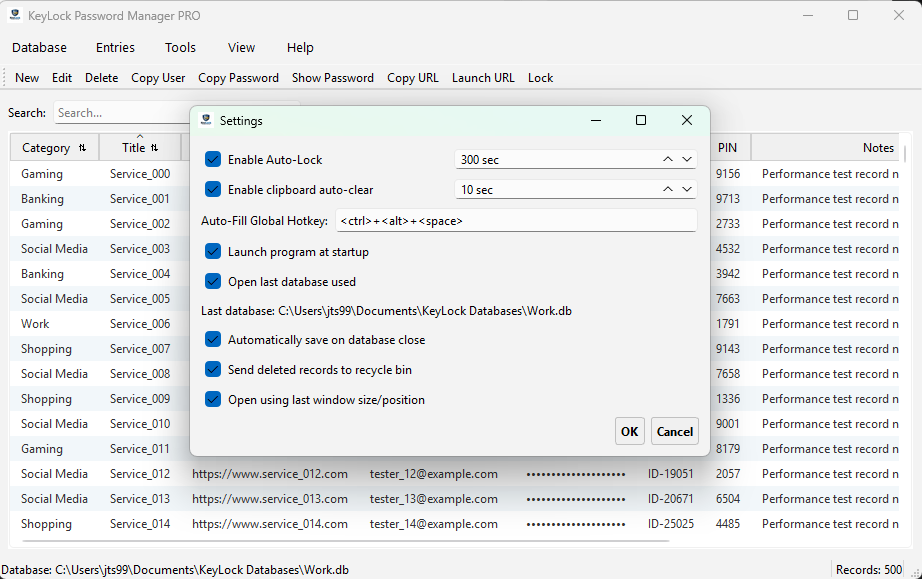
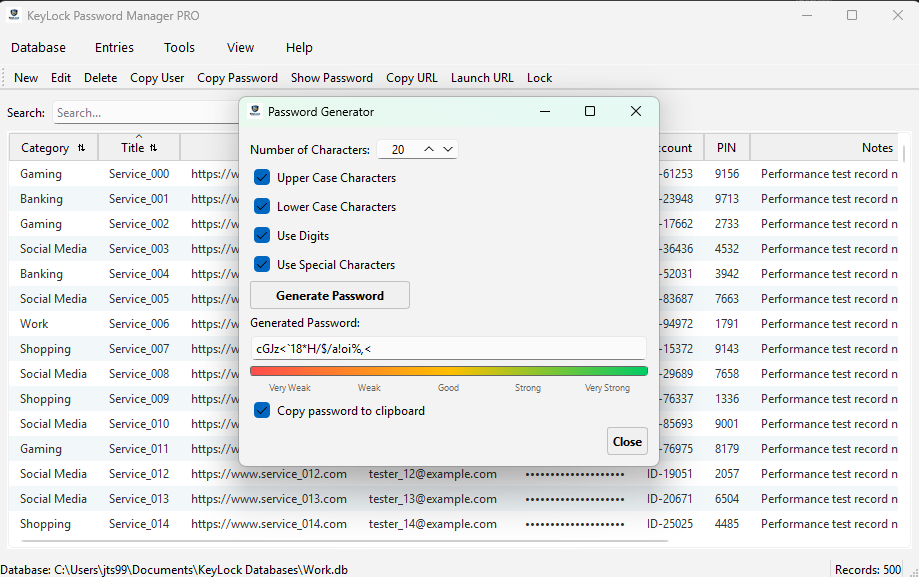
Screenshots

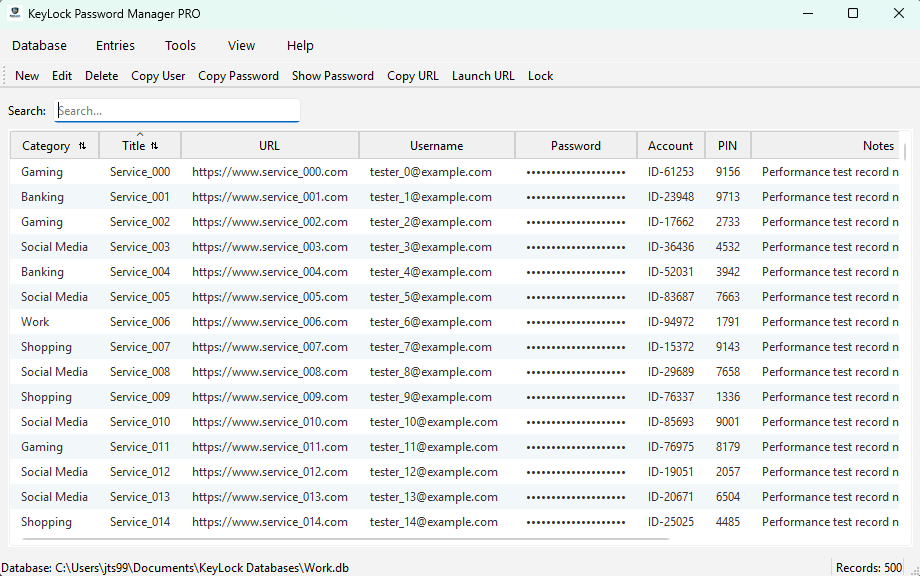
A closer look at the KeyLock user experience.
Support & FAQ

What makes KeyLock Password Manager Pro different from legacy versions?
The core engine has been completely rewritten from the ground up to achieve high-performance Cross-Platform Interoperability. KeyLock Pro replaces legacy Python-bound Fernet wrappers with universally recognized hardware-accelerated encryption algorithms. This migration unlocks native, cross-platform performance across Windows Desktops, Apple iOS platforms, and Android environments using a standardized secure JSON database frame.
How does the "Bring Your Own Cloud" (BYOC) data engine function?
KeyLock Pro adheres to a strict local-first execution template. We do not operate host servers or maintain database storage layers. Your encrypted database file resides completely within your personal storage space (such as iCloud, Google Drive, Dropbox, or OneDrive). The Desktop and Mobile companion apps stream, mutate, and evaluate these local nodes strictly inside volatile device memory boundaries.
What happens to my old entries when migrating from the legacy open-source app?
Migration is completely automated and safe. When you launch the Windows Desktop Pro client and point it to your legacy SQLite database file, the application detects the legacy Fernet structures on the fly. Upon confirming your identity with your Master Password, the engine completely decrypts your assets and instantly rebuilds, saves, and hardens the payload using the new AES-256-GCM schema without losing data.
How do I setup my initial database (.db)?
To preserve your local-first sovereignty, KeyLock Pro establishes its default database file path inside your local My Documents/KeyLock Databases/ folder path. However, if you plan to access your records via the companion mobile apps on Apple iOS or Android alongside your Windows Desktop client, you should locate your newly created .db file directly within a monitored public cloud folder node—such as your personal Apple iCloud Drive, Dropbox, or Google Drive directory.
How does Cloud Sync work?
Because KeyLock Pro is built on a zero-server framework, cross-device synchronization relies completely on your personal cloud nodes. When you update a record on your Windows machine, your file provider handles uploading the mutated database file. When you open the application on your mobile device, it opens and decrypts the latest cloud variant in runtime memory. Embedded AAD transaction timestamps execute a smooth conflict check if items change concurrently.
How does multi-device synchronization handle concurrent file access conflicts?
Since data transitions occur within your personal public storage accounts, your selected cloud platform handles baseline background file changes. To protect structural integrity during concurrent edits, KeyLock Pro embeds AAD-bound transactional timestamps directly into the database metadata layers, executing a modern "last-write-wins" parsing protocol that keeps files synchronized smoothly across all devices.
How do I import my data from other Password Managers?
Migration to KeyLock Pro is fast and streamlined:
  1. Export: Initiate an unencrypted export from your legacy password manager strictly into a standard CSV file.
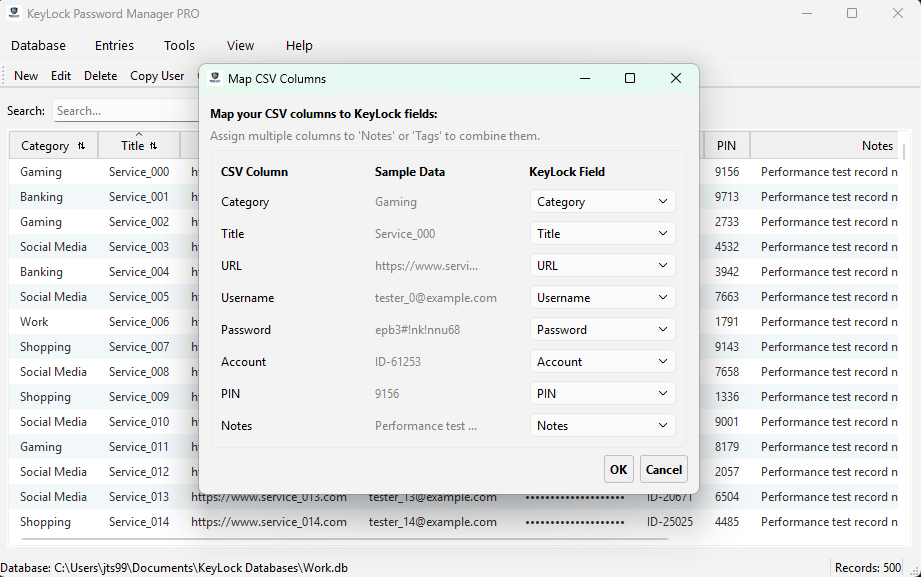
  2. Auto-Mapping: Open KeyLock Pro, navigate to the Import tool, and select the file. The client intelligently reads columns like "Login" or "Pass" and assigns them to native KeyLock database fields.
  3. Refine: Use the interactive dropdown layout to fine-tune fields manually. For unstructured components that don't match, you can select to safely discard them or choose to append the entries directly to the scrollable Notes field.
How do I Export my .db?
KeyLock Pro lets you run manual data extractions into either standard unencrypted CSV spreadsheets or Plain Text (.txt) formats. This is highly useful for running system data edits or generating offline backups.

⚠️ CRITICAL WARNING: Exported files strip away the cryptographic layer and save your plain text credentials in the clear. Always save unencrypted files to an offline hardware layer like a secure USB node or erase them immediately after use.
How do I backup my .db?
To guard your data framework against device failure, click Database > Backup. This opens a file save prompt that pre-populates an encrypted backup string matching your current data structures. KeyLock Pro processes and seals your historical files into a uniquely stamped, high-entropy `.enc` backup container, which can safely be stored in your third-party public cloud hubs.
How do I restore a .db file?
If you deploy onto a new environment or need to revert an accidental edit, select Database > Restore From Backup. Navigate to your protected directory and select your targeted `.enc` backup container. Because the payload retains the strict Zero-Knowledge security boundaries of your original data frame, you must provide the exact Master Password used at the moment of backup creation to unlock and process the file swap.
What is the impact of a lost Master Password under a Zero-Knowledge model?
Because KeyLock Pro treats user privacy as absolute, the system operates with zero backdoors or remote administration access. Your Master Password is transformed directly into an encryption key via memory-hard Argon2id parameters. We do not maintain registration keys or password logs. If you lose your Master Password, recovery is mathematically impossible. We strongly advise storing a physical copy of your Master Password in a secure, fireproof safe.

The KeyLock Mission

In an era where personal data is treated as a commodity, KeyLock was born from a simple necessity: Absolute Data Sovereignty.

Why Local-First?

KeyLock Password Manager Pro is a premium data sovereignty product engineered by KeyLock Software. Your data should never be a target. By removing the centralized commercial cloud, we remove the incentive for hackers. Your vault is your own. Whether you keep it on a local machine, thumb drive, Google or Dropbox, you are the only one with the key.

Windows Desktop Version

KeyLock Password Manager Pro get started today by visiting the Getting Started Guide and the User Manual.